Not a one-off reminder. Pressure that rises as the deadline gets closer.
Pressure that rises until it is done Only in Gadfly
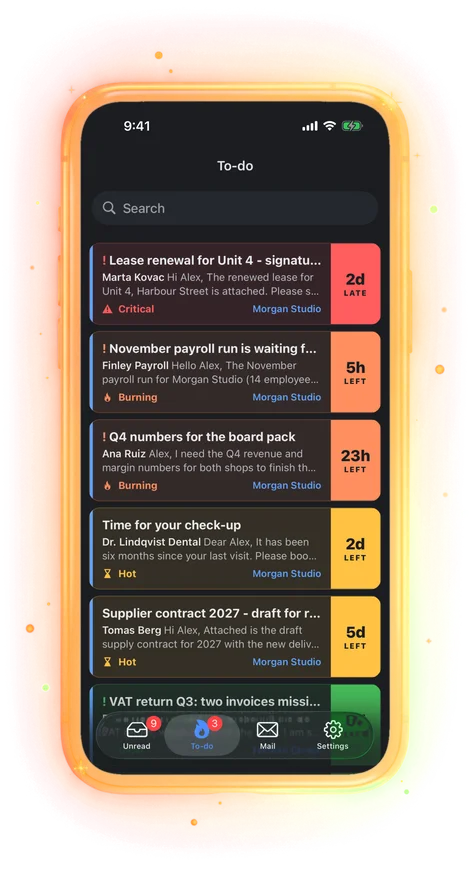
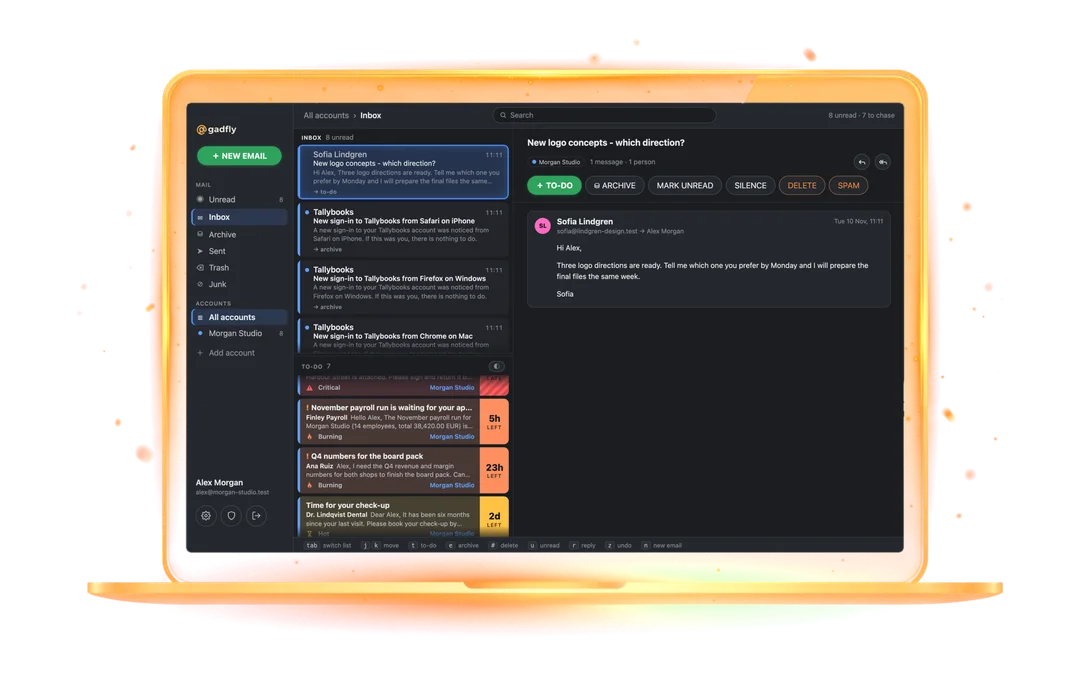
Every to-do sits in a band set by its deadline: calm, hot a week out, burning two days out, critical once overdue. As the date nears it climbs, and critical ones break through your quiet hours. Other apps remind you once; Gadfly keeps the pressure on.
The Chase list
One list of what is on fire right now: by band, then importance, then the earliest date. Open the app and you know what to do next.
Nudges on time, never spam
A push an hour before a to-do is due, or at your morning briefing for all-day ones. Quiet hours and a daily cap keep you from muting it; critical ones break through. Read it anywhere and the notification goes away everywhere.
Lock screen and home screen widgets Only in Gadfly
Your hottest to-dos on the iPhone lock screen and home screen, critical first, plus unread count. Private on a locked phone: band and short title only.
Waiting-for tracking Coming
Replied and waiting on them? The to-do sleeps until the follow-up date, then comes back as "no reply yet, follow up?". A reply from them reopens it on its own.
Email to-dos with real deadlines
Every to-do is a task tied to its email thread, with a deadline that keeps up with the conversation.
Turn any email into a to-do in one tap
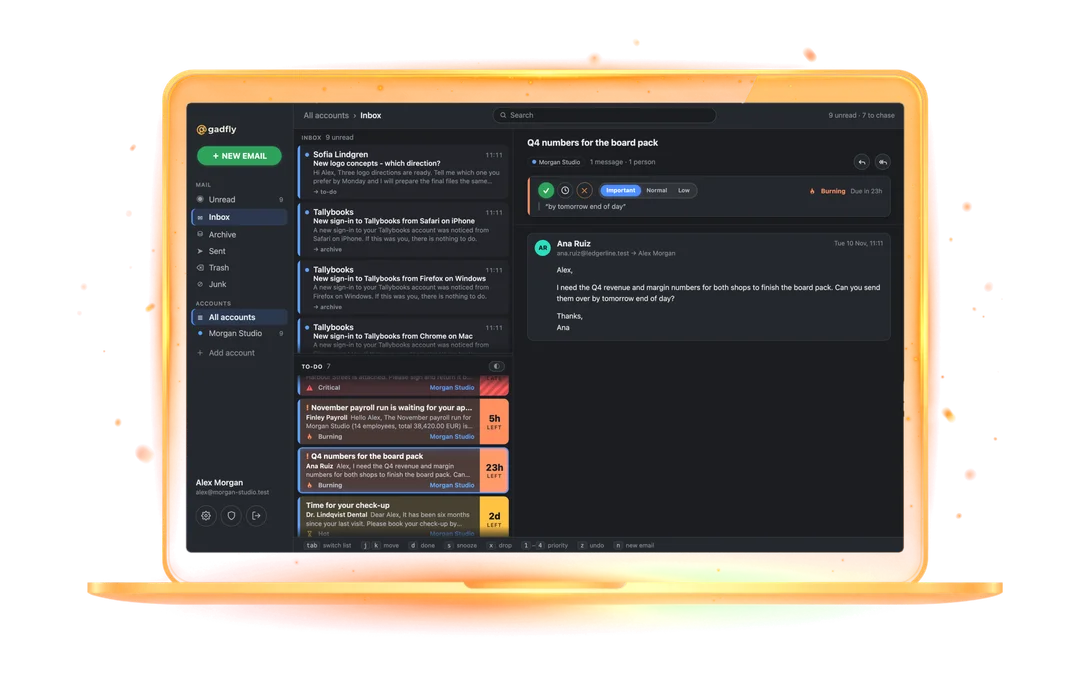
Press T, swipe, or tap + TO-DO. The email thread becomes a task with importance and a deadline, and the inbox stays at zero.
Deadlines that follow the conversation Only in Gadfly
When a new message arrives, the deadline is read again from the whole thread. "We will get back to you next week" moves it; a contract expiry stays put. A date you set is never touched.
Every to-do has a deadline Only in Gadfly
The date the mail states, else an estimate from what is asked and who is waiting, else a default by importance. No to-do can silently rot without a date.
Importance: important, normal, low
Set by you or suggested by Claude. It orders to-dos inside each band and sets how soon a guessed deadline lands.
Your starred mail becomes to-dos
Connect an account and the 15–20 mails you starred "to deal with later" become to-dos with deadlines. Star in Gmail or Outlook later and it shows up too; finish it and the star goes away.
Snooze, done, drop
Snooze a to-do until a date, finish it, or drop it on purpose. Dropped is kept apart from done, so you see what you chose not to do.
Search to-dos and mail together
One search across to-dos and every folder of every account, on the phone and the desktop.
Inbox zero in one pass
Each mail ends in one of three places: deleted, archived, or a to-do.
One mail at a time
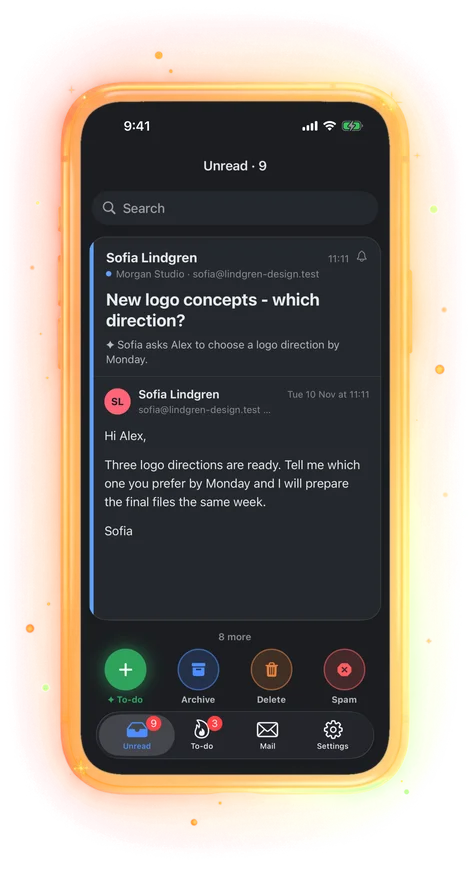
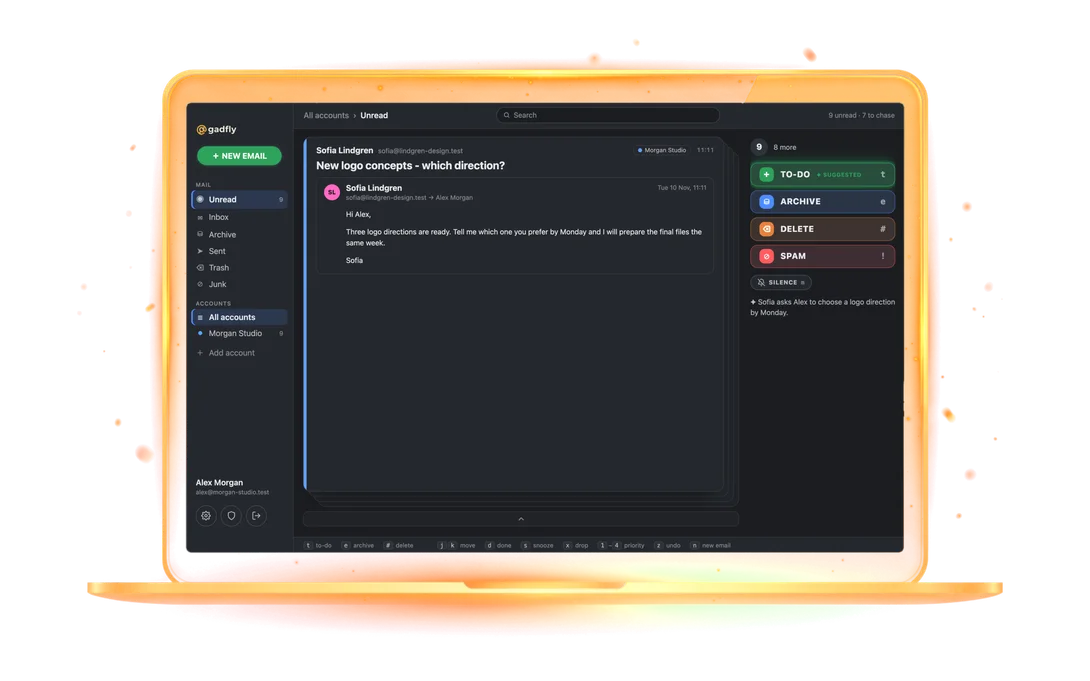
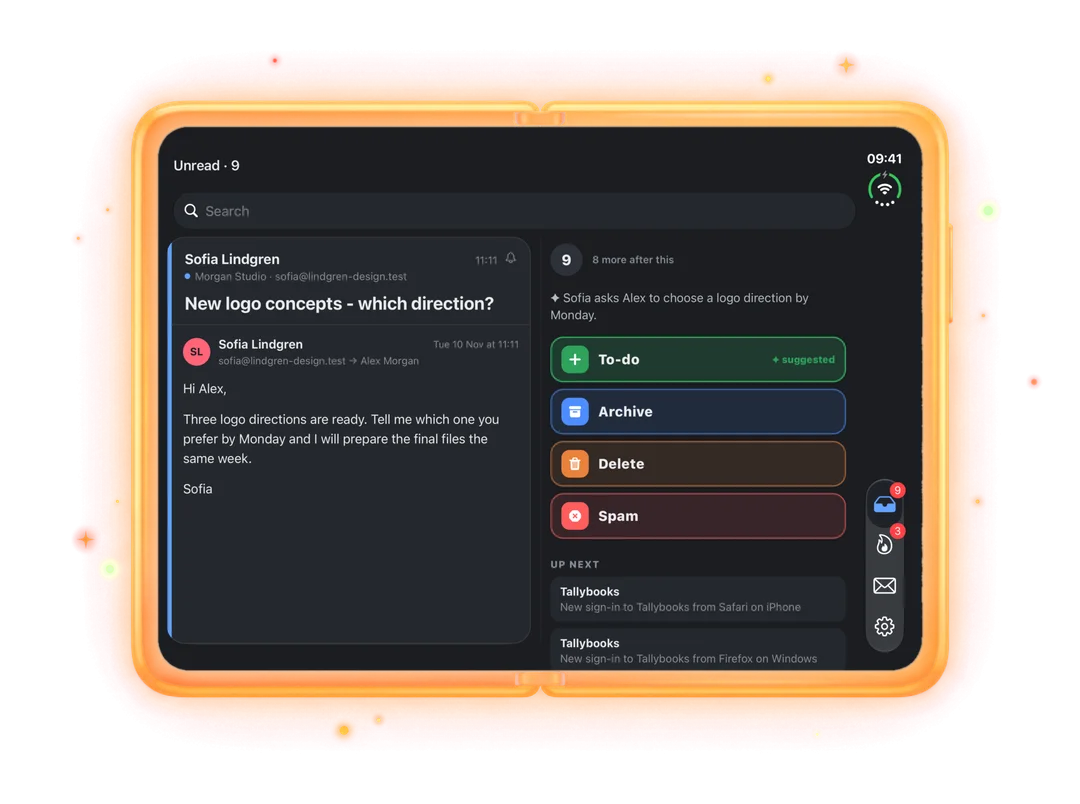
Unread mail comes as a deck: one message, three choices — delete, archive or to-do. Untriaged mail is debt, and Gadfly shows how much of it you have.
Triage suggestions that learn
Each mail arrives with a suggested action. Accept with one key. It learns from what you do with each sender.
Spam rules and learned templates
Mark one newsletter or notification as spam and its template is caught next time, from any sender.
Silence noisy senders
Silence a sender, or just one kind of title from them. That mail still arrives unread, but sends no notifications to your phone or desktop. Un-silence it from any such mail.
Group similar emails and decide them at once
Three or more unread mails from one sender with similar titles? Gadfly offers to group them into one scrollable card: archive, delete or forward them all in one tap. Any single mail can still go its own way, to-do included.
Claude reads it so you do not have to
AI proposes. You decide. Anything you set by hand is never overwritten.
Thread summaries
A short English summary on top of every to-do: who wants what by when. Long threads with forwarded history folded away.
Reads attachments too
PDFs and Word documents are read for deadlines and asks, so a date buried in an attached contract still lands on the to-do.
Deadlines with evidence Only in Gadfly
A deadline taken from the mail shows the sentence it came from. No mystery dates.
Yours always wins
Claude proposes importance and deadline; any value you set by hand is never overwritten by AI.
A full mail client underneath
Gmail, Microsoft 365, iCloud, Fastmail and any IMAP account, all in one place.
Any email account
Gmail, Google Workspace, Microsoft 365, Outlook.com, iCloud, Fastmail, Yahoo, or any IMAP server. Type your email and password and the server is found for you.
New mail in seconds
Live IMAP IDLE sync; Gmail inboxes are checked every five seconds.
Reply, reply all, forward, drafts
A real composer with saved drafts, signatures per account and forwards to saved addresses that finish the to-do.
Calendar invitations
Add an invitation to your calendar straight from the mail.
Remote images on request
Tracking pixels stay blocked until you choose to load images, per sender.
Unified inbox and Sent
Every account in one inbox, one Sent view ordered by when you sent, conversations threaded.
On your phone, your desk and your lock screen
Mac, Windows, Linux, iPhone and Android. One account carries your to-dos, mailboxes and preferences to all of them.
iPhone and iPad
Native iOS app with widgets, push notifications and passkey sign-in. Foldable Duo layouts too.
Android
The phone app on Android, with widgets and push.
Mac
A full desktop client with keyboard triage: # delete, E archive, T to-do, Enter accept.
Windows
The same desktop app, signed for Windows.
Linux
The same desktop app on Linux, keyboard triage included.
One account, every device
To-dos, read state and preferences sync instantly. Open the same to-do on two devices and you get one recap, not two.
Private by design, honest about it
Encrypted at rest with a key per user. No ads, no selling data, no humans reading mail.
Encrypted at rest with a key per user
Bodies, subjects, summaries and to-do titles are sealed with AES-256-GCM under your own key. Delete your account and the key goes with it, backups included.
Passkeys and two-factor
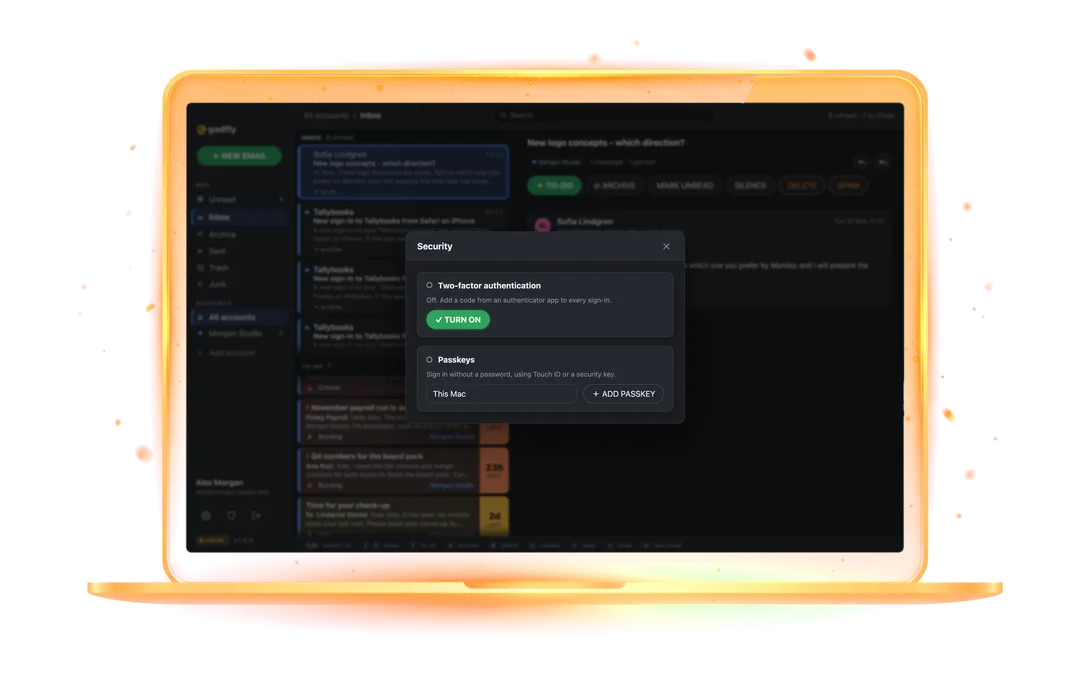
Sign in with a passkey (Face ID, Touch ID, a security key) or a password plus an authenticator code, with backup codes.
No ads, no tracking, no data sales
You pay for Gadfly, so your mail is not the product. This site sets no cookies until you sign in.
Hosted in the EU
Servers in Germany, run under GDPR. The AI provider does not train on your mail.
 Pressure that rises until it is done Only in Gadfly